
Free AI Face Enhancer – No Watermark Online Face Enhancement & Upscaler
Enhance face quality, sharpen eyes, smooth skin, and remove blur instantly with no watermark—perfect for headshots and portraits without any signup required.
How Our No Watermark AI Face Enhancer Works
Advanced AI Processing Pipeline
Our AI face enhancer uses a sophisticated multi-stage processing system that analyzes facial features at the pixel level. The algorithm identifies key facial landmarks including eyes, nose, mouth, and skin texture to apply targeted enhancements without watermarks.
- • Face Detection: Automatic identification of facial regions
- • Feature Analysis: Deep learning assessment of facial details
- • Quality Enhancement: Selective improvement of skin texture and clarity
- • Output Generation: High-resolution face images without watermarks
Real-Time Processing Technology
Unlike traditional photo editing software, our AI processes face images in real-time using cloud-based GPU acceleration. This ensures consistent, professional results across different face types, lighting conditions, and image qualities.
Processing Steps:
- 1. Image upload and format detection
- 2. AI facial feature mapping
- 3. Quality assessment and enhancement planning
- 4. Selective enhancement application
- 5. Final rendering and download preparation
How to Enhance Faces with AI Without Watermark — Step by Step
Drag & drop up to 10 files (JPG, PNG, GIF, TIFF, WebP, BMP, ICO, SVG, AVIF). Perfect for headshots, selfies, and portraits. No registration required for watermark-free processing.
Our AI automatically enhances face quality, sharpens facial features, smooths skin, and optimizes lighting for professional results—completely free from watermarks.
Get natural-looking, high-resolution face images in seconds without any watermarks—ideal for social media profiles and professional use.
Why Choose Our Watermark-Free AI Face Enhancer?
Unblur & Face Detail Recovery Without Watermark
Advanced AI recovers facial detail in selfies, portraits, and group photos for crisp, professional results with no watermark overlay. Learn more about our upscaling technology options.
Skin Enhancement & Smoothing
Reduce noise, soften skin, and remove minor imperfections while maintaining natural textures. Perfect for portrait photography enhancement without any watermark branding.
Natural, Professional Output
Batch-process face photos with uniform quality—ideal for creators and businesses. Try our bulk face enhancement tool for watermark-free batch processing.
Frequently Asked Questions - No Watermark Face Enhancement
How does AI face enhancement work without adding watermarks?
Our AI face enhancer uses advanced machine learning algorithms to analyze facial features, improve skin tone, sharpen eyes, and enhance overall face quality. The technology works similarly to our main AI upscaling tool but is specifically optimized for facial enhancement without any watermark overlay on the final output.
Is this better than Photoshop for face enhancement?
Yes! Our AI-powered approach is faster and more accessible than manual editing. Learn how to enhance images without Photoshop using our automated tools. Plus, you get watermark-free results instantly.
Can I enhance multiple faces at once without watermarks?
Absolutely! Upload up to 8 images simultaneously for batch face enhancement. For larger volumes, check our bulk processing options and pricing plans. All outputs are completely watermark-free.
What file formats are supported for watermark-free face enhancement?
We support all major image formats including JPG, PNG, WebP, GIF, TIFF, BMP, ICO, SVG, and AVIF. All enhanced face images are delivered in high quality without any watermark, regardless of the input format.
How long does AI face enhancement take?
Most face photos are processed within 10-30 seconds depending on image size and complexity. Our cloud-based AI ensures fast processing while maintaining high quality results without watermarks.
Is there a limit to how many faces I can enhance for free?
Our free tier allows up to 10 images per upload session. All free enhancements come without watermarks. For higher volumes, explore our premium plans for unlimited watermark-free processing.
Can I use enhanced face images commercially without watermarks?
Yes! All enhanced face images are delivered without watermarks and can be used for personal and commercial purposes. The original copyright of your photos remains unchanged.
How does this compare to other face enhancement tools?
Unlike many competitors, we offer completely watermark-free results even on our free plan. Our AI technology delivers natural-looking enhancements without the artificial appearance common in other tools.
What makes your face enhancement different from basic upscaling?
While general upscaling enlarges images, our face enhancement specifically targets facial features with specialized algorithms for skin smoothing, eye sharpening, and facial detail recovery. All results are delivered without watermarks for professional use.
Can I enhance low-quality or blurry face photos?
Absolutely! Our AI excels at recovering details from low-resolution, blurry, or pixelated face photos. The technology can enhance faces from old photos, social media images, or low-quality camera shots—all without adding watermarks.
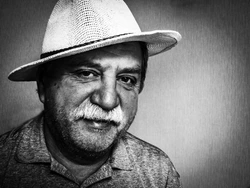
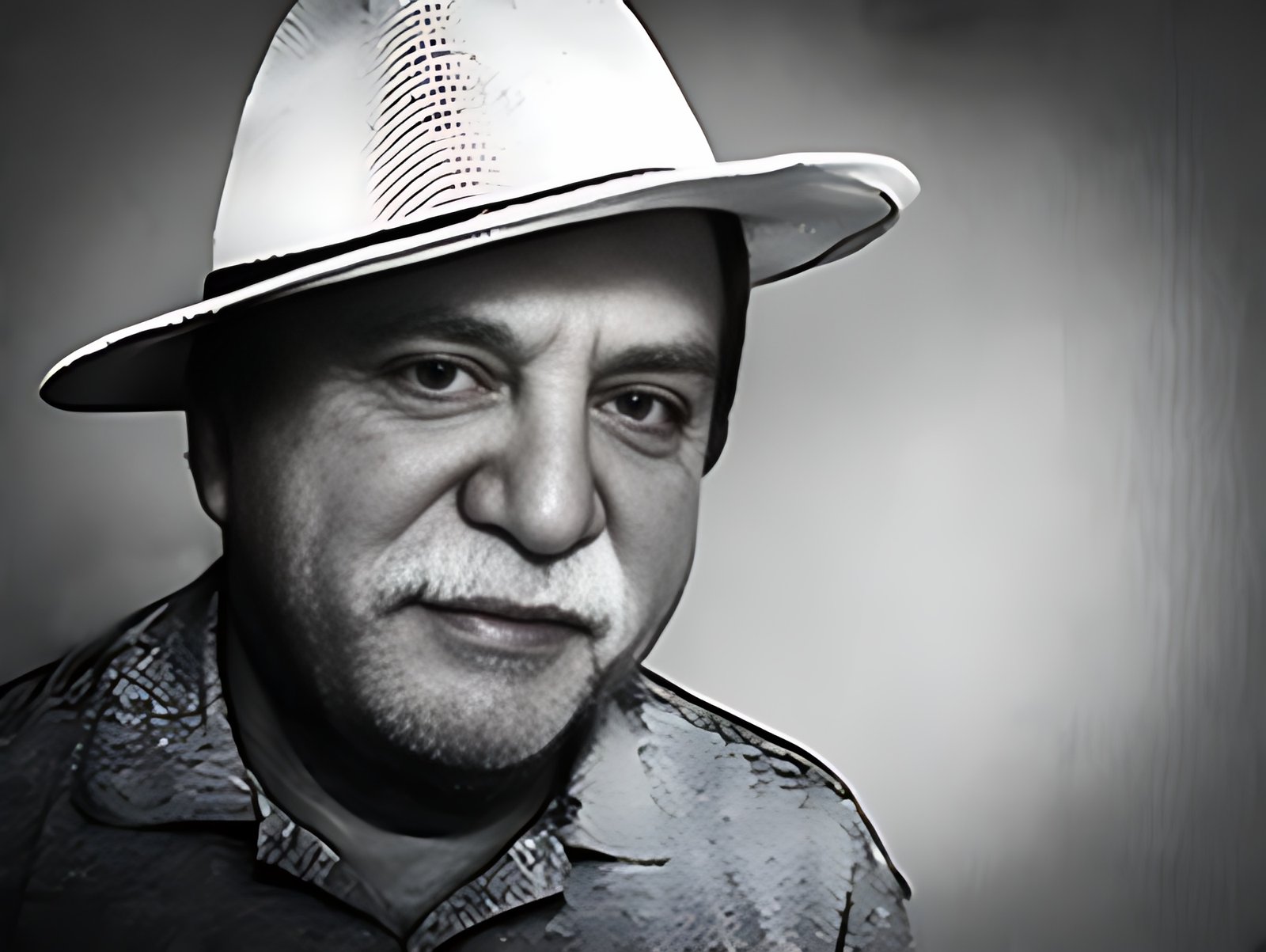
See Watermark-Free Face Enhancement Results
Try Face Enhancement Now

Professional Headshots Without Watermark
Enhance face quality and improve skin tone for professional headshots and LinkedIn profiles—completely watermark-free.


Portrait Face Enhancement
Remove blur from face photos and enhance facial features for clean, natural portraits without any watermark branding.
Old Photo Face Restoration
Restore vintage face photos and enhance facial details for printing and archiving—delivered without watermarks.
Watermark-Free Face Enhancement Use Cases
Selfies & Profile Pictures
Upgrade social media profile photos with enhanced facial features and improved skin tone. Perfect for Instagram, Facebook, and LinkedIn profiles—all without watermarks for professional presentation.
Old Photo Face Restoration
Restore family photos and vintage portraits. Remove blur, enhance facial details, and bring old memories back to life in HD quality without any watermark overlay.
Event & Group Face Photos
Enhance multiple faces simultaneously in group photos and event pictures for consistent, professional album quality—all delivered without watermarks for clean results.
Advanced Face Enhancement Features
Intelligent Skin Smoothing
Our AI applies selective skin smoothing that preserves natural skin texture while reducing imperfections. Unlike heavy-handed filters, our technology maintains realistic appearance.
- • Preserves skin pores and natural texture
- • Reduces blemishes and minor imperfections
- • Maintains age-appropriate appearance
- • Works across all skin tones uniformly
Eye and Facial Feature Sharpening
Specialized algorithms enhance eye clarity, define eyebrows, and improve overall facial definition without creating an artificial look.
- • Enhanced eye clarity and definition
- • Improved eyebrow and eyelash visibility
- • Lip detail enhancement
- • Natural facial contour improvement
Complete Watermark-Free Photo Enhancement Suite
Better Watermark-Free Alternative to Popular Tools
Looking for alternatives to expensive software? Our AI face enhancer provides professional results without watermarks or high costs:
UpscaleIMG.AI Watermark-Free Pricing Comparison
Feature breakdown across Free, Basic, and Pro plans—all without watermarks. View detailed pricing →
| Features | Free | Basic | Pro |
|---|---|---|---|
| Face Images per Upload | 8 | 40 | 80 |
| Face Upscaling Support | 4× | 4× | 4× |
| Bulk Face Processing | Yes | Yes | Yes |
| AI Face Enhance | Yes | Yes | Yes |
| Format Support | JPG, PNG, WebP, GIF, BMP, ICO, SVG, AVIF | JPG, PNG, WebP, GIF, BMP, ICO, SVG, AVIF | JPG, PNG, WebP, GIF, BMP, ICO, SVG, AVIF |
| Watermark-Free Output | Yes | Yes | Yes |
| Email Support | Yes | Yes | Yes |
What Our Users Say About Our No Watermark AI Face Enhancer
Trusted by photographers, designers, and businesses worldwide for watermark-free results
Umair Ahmad
App User
"This looks good with available filters and frames. Hopefully, will be improved further in future updates."
Ahmad Ameen
App User
"Absolutely Amazing App. I am Big fan Of your Apps."
Health Town
App User
"This app is the best background changer app i ever used."
Chizyman Adie
App User
"Absolutely love it"
Naz Willow
App User
"Very excellent app"
Muh Sharjeel
App User
"Great app👌"
Tsepo Magnificent
App User
"It magnificent"
Pintu Yadav
App User
"👑👑"
Umair Ahmad
App User
"This looks good with available filters and frames. Hopefully, will be improved further in future updates."
Ahmad Ameen
App User
"Absolutely Amazing App. I am Big fan Of your Apps."
Health Town
App User
"This app is the best background changer app i ever used."
Chizyman Adie
App User
"Absolutely love it"
Naz Willow
App User
"Very excellent app"
Muh Sharjeel
App User
"Great app👌"
Tsepo Magnificent
App User
"It magnificent"
Pintu Yadav
App User
"👑👑"
Learn More About Watermark-Free AI Image Enhancement
Alternative Solutions
Start Enhancing Faces with Watermark-Free AI Technology
Improve facial clarity, remove blur, and enhance face quality to HD using our advanced watermark-free AI Face Enhancer technology. Powered by cutting-edge AI upscaling algorithms , achieve professional face enhancement results instantly without any watermark branding.
 English
 Indonesian
 Hindi
Hindi Dutch
Dutch Arabic